Action blocks
Overview
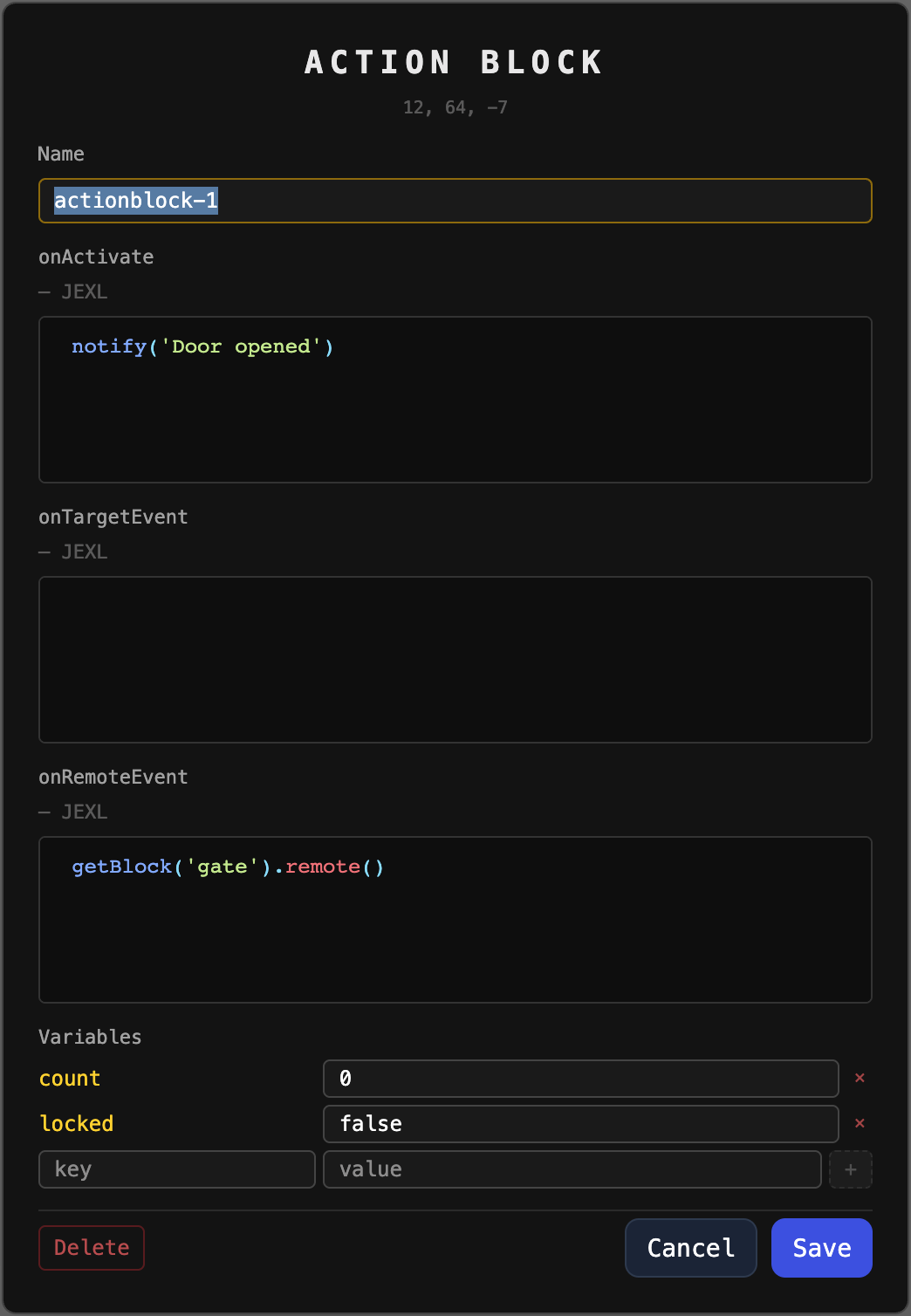
An action block is a placed block a player has given a unique name and up to three scripted event handlers. Named blocks are shown in-world with a floating ★, are selectable through the unified Tab target cycle (after NPCs), and react to player interaction.
State lives world-level in ActionBlockRegistry, persisted to
data/world/<world>/actionblocks.yaml — one entry per block position, keyed by a
map-unique name. BlockBreaker removes the entry when the block is destroyed.
Events
| Handler | Fires when |
|---|---|
onTargetEvent |
the block becomes the player's Tab target |
onActivate |
the targeted block is used with block_interact (default KeyC) |
onRemoteEvent |
another block's script calls getBlock('name').remote() |
Each handler is a JEXL macro body run by ActionBlockScriptEngine (same engine as
player macros). Bound variables: everything from
GET /api/macros/context, plus player (name, id, hp, mana) and self
(name, x, y, z, vars).
Macro API
| Call | Effect |
|---|---|
getBlock('name').get('var') |
read a variable of the named block (string) |
getBlock('name').set('var', 111) |
write a variable (coerced to string) |
getBlock('name').remote() |
run the named block's onRemoteEvent synchronously |
notify('text') |
send a plain notification to the triggering player |
send('/command …') |
queue a slash command, run as the player after the script |
remote() is guarded against loops (per-invocation call stack) and runaway
fan-out (MAX_REMOTE_DEPTH, MAX_SCRIPT_RUNS_PER_INTERACTION in
ActionBlockConstants). Variables are stringly-typed — use Integer.parseInt(...)
for numeric comparisons.
Editing
- Key
actionblock_edit(defaultAlt+KeyB) opens the editor form on the currently targeted action block, or the block under the crosshair otherwise. /actionblock:activate [x y z]— turn the targeted block into an action block with an auto-generatedactionblock-<n>name./actionblock:edit <name> <name|onActivate|onTargetEvent|onRemoteEvent|var:key> <value>— set one field./actionblock:delete <name>— remove the logic (the block itself stays). The form's Delete button does the same.
Editing requires being the block's owner, having edit rights on the covering
claim, or the actionblock:edit command permission.