Groups, guilds & factions
Three independent player structures. A player can be in one of each at the same time.
| Group | Guild | Faction | |
|---|---|---|---|
| Size | 5 max | unlimited | server-defined |
| Lifetime | dissolved once no member is online | permanent until disbanded | permanent |
| Persistence | none (memory) | world/guilds.yaml |
player field + server.yaml |
| Chat channel | group:<id> (temporary) |
guild:<id> |
faction:<id> |
| Hierarchy | leader (the creator) | per-guild ranks with permission flags | none |
| Shared inventory | no | yes (guild bank) | no |
| Gameplay effect | chat only | chat + bank | friendly-fire off + claim access between allies |
Groups
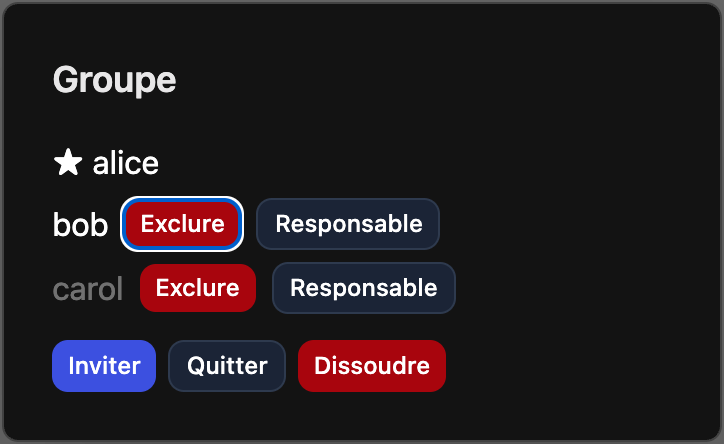
Temporary parties. Open the panel with Alt+G or use commands:
/group create— start a group (you become the leader)./group invite <player>//group accept//group decline/group kick <player>//group transfer <player>(leader only)/group leave//group disband(leader only)/group who
The group is destroyed automatically as soon as its last online member disconnects — there is nothing to persist and nothing to rejoin.
Guilds
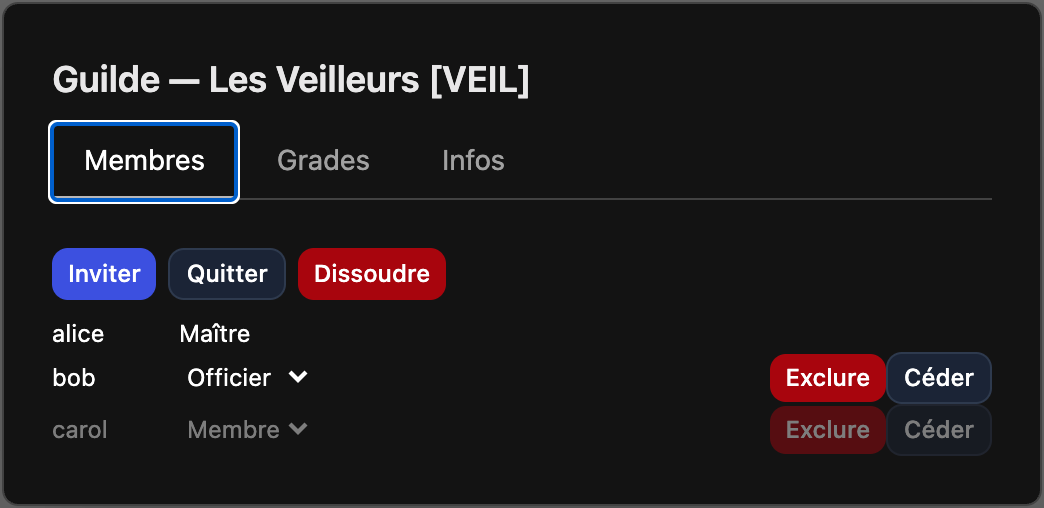
Persistent organisations. Panel: U. The guild bank appears as a second tab
in the inventory widget.
/guild create <name> <tag>— name 3–32 chars, tag 1–5 chars, both unique. The founder gets the highest rank./guild invite <player>//guild accept//guild decline/guild kick <player>,/guild leave/guild motd <text>,/guild rank <player> <rankName>/guild transfer <player>— hand over ownership (owner only; required before an owner can leave a non-empty guild)./guild disband— owner only; the bank contents are mailed to the owner./guild info
Ranks & permissions
Each guild defines its own ordered ranks. A rank carries any subset of these
flags: INVITE, KICK, MANAGE_RANKS, EDIT_MOTD, BANK_DEPOSIT,
BANK_WITHDRAW, DISBAND, EDIT_INFO. The owner has every permission
regardless of rank. Default ranks at creation: Master (all flags), Officer
(invite/kick/motd/bank), Member (deposit only), Recruit (none).
Rank editing (create/delete ranks, toggle flags, promote/demote) is done from the Grades tab of the guild panel.
Guild bank
Members with BANK_DEPOSIT add items; members with BANK_WITHDRAW take them out.
Every movement is recorded in a bounded log (last 100 entries) shown in the panel.
Factions
Server-wide sides, configured in server.yaml (see
server configuration). Between 1 and 5 factions,
defined by id, name, color, description, and an optional explicit
spawnX/spawnZ. Disabled by default.
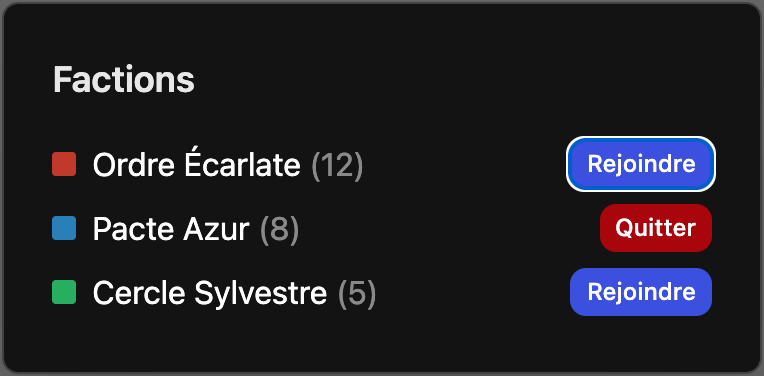
/faction list— list factions and member counts./faction join <id>— affiliate (subject tochangeCooldownSeconds)./faction leave- Panel:
Alt+F.
Effects when enabled:
- Each faction gets a starting area: auto-placed on a ring around the world
origin (
spawnRingRadius) in a distinct low-level, tree-free zone, or a fixedspawnX/spawnZ. A player is teleported there on their first/faction join; later switches do not move them. - Members of the same faction cannot damage each other unless
factions.friendlyFire: true. - A player can build in and interact with land claims owned by a same-faction player, in addition to the claim's own trusted list (see land claims).
- The faction colour is drawn on the nameplate of remote players; a guild member
also shows their guild
[TAG]before their name.
/reload re-applies the faction list. Removing a faction un-affiliates its
members.