HUD, stats & visuals
How to play
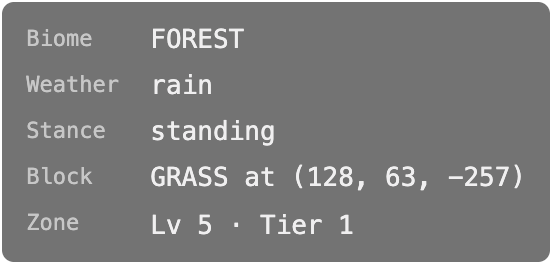
- Statistics overlay — a toggleable overlay with performance and game stats.
/shaders [on|off]— toggle ambient occlusion, directional shading and fog./light:on//light:off— boost ambient light underground / restore natural cavern darkness.- HUD layout — every widget can be moved and resized on a 48×48 grid, saved per player. See Layout editor.
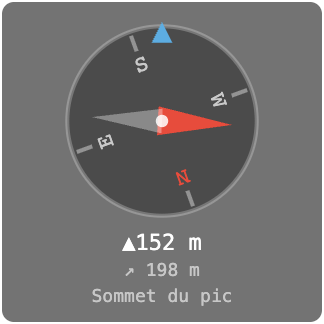
- Compass —
/compass <x y z>or/compass <pointName>(same named points as/goto) sets a waypoint; the widget then shows a rose that spins with your heading, a needle toward the target, and the flat and 3D distance. A red cross also marks the target on the minimap and the in-game map.Alt+B(toggle_compass) or/compass togglehides/shows the widget;/compass cleardrops the waypoint. The target and its visibility are saved per player and restored on reconnect.
RPG HUD elements (HP/mana/stamina bars, XP bar, action bar, target frame, aggro indicators, quest tracker) are described under RPG.

Configuration
Shader and overlay states are per-player preferences (Preferences dialog, key
P, persisted server-side). Widget positions are stored in the player file under
the layout section and editable via /layouts.